
You can update your invoice details (billing address, billing company, and VAT number if applicable) directly from our payment provider's customer portal.
⚠️ Important - Please read first
You can edit your invoice only once.
Before submitting any changes, make sure all required information is correct and complete, as further edits will not be possible.
1. Open the Customer Portal
Navigate to the following URL: https://customer-portal.paddle.com/cpl_01j5wpn9kfq6eyja3qrea23bmk
2. Log In Using Your Order Email
Enter the same email address you used when placing your order.
- You will receive a login email.
- Click the link in that email to access the customer portal.
3. Find the Payment You Want to Update
Once logged in:
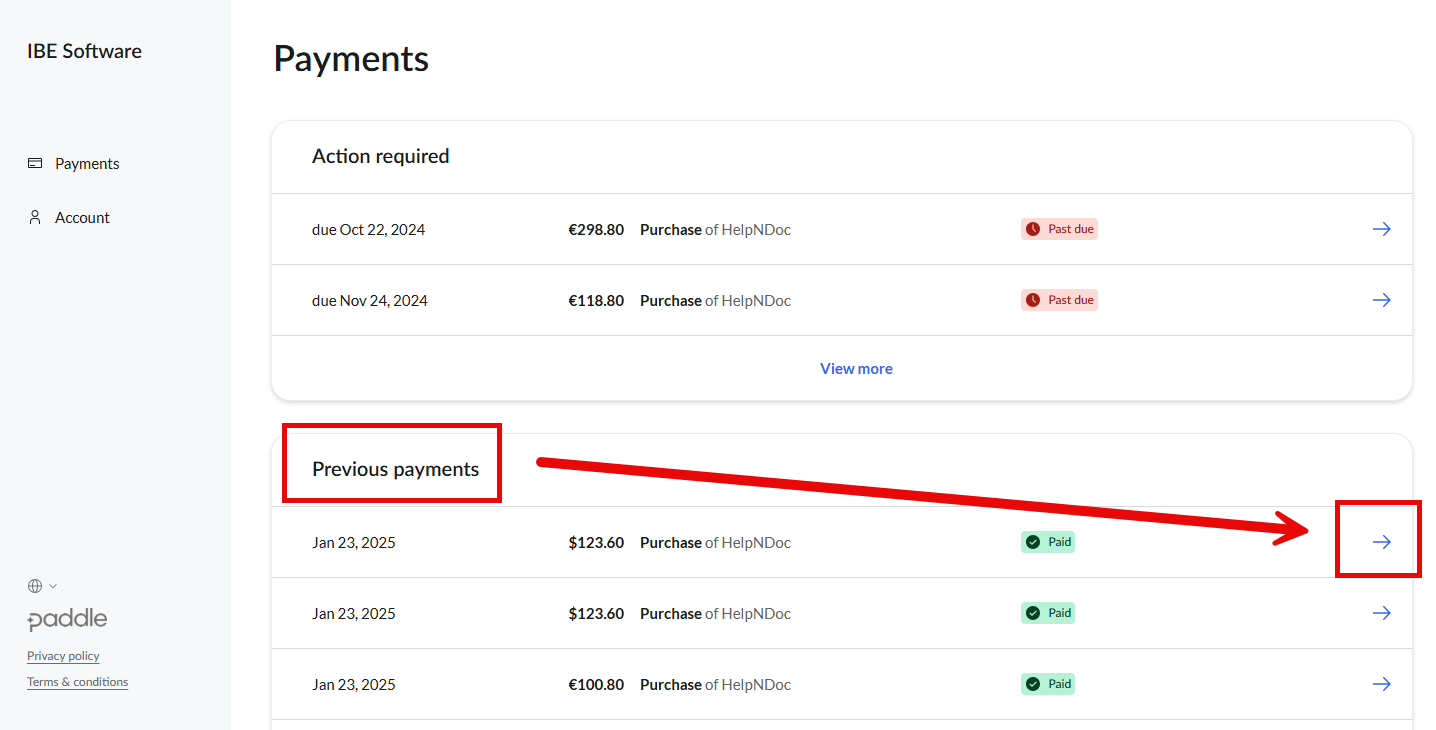
- Go to Payments
- Open the Previous payments section
- Locate the order corresponding to the invoice you want to update
4. Open the Payment Details
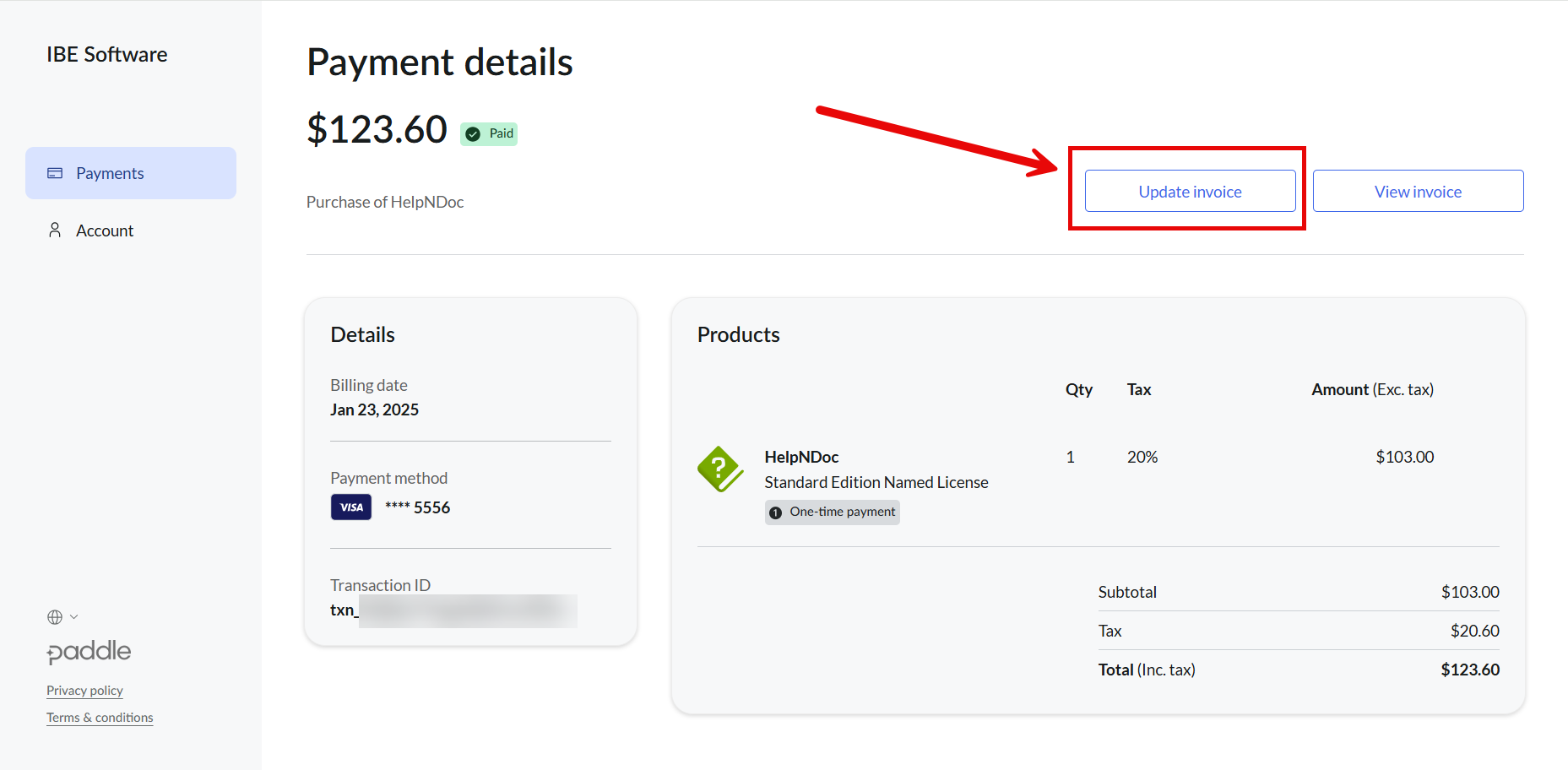
Click on the selected order to open the Payment details page.
On this page, click the Update invoice button.
5. Update Your Invoice Information
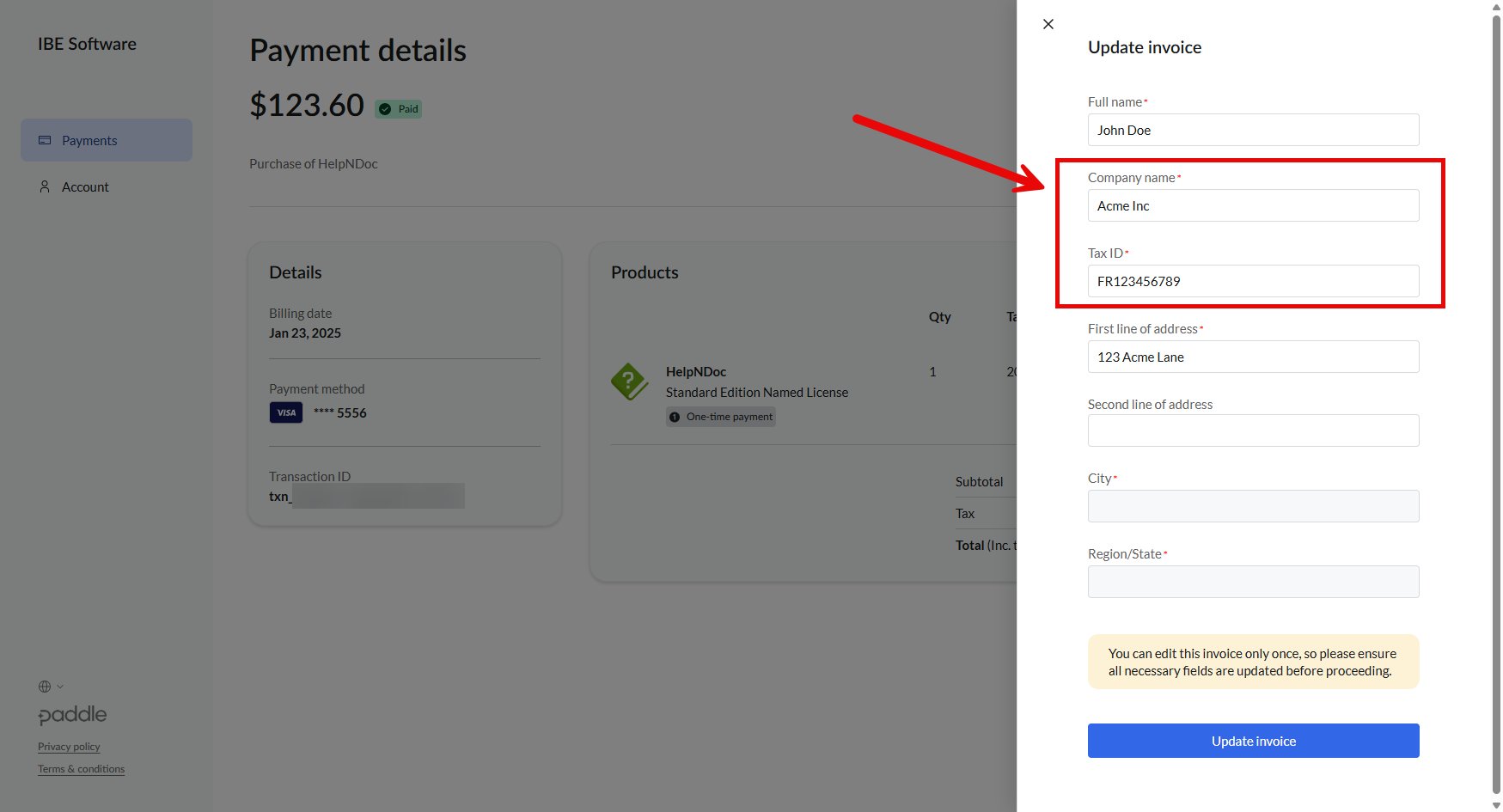
A new pane will appear allowing you to update invoice details such as:
- Billing address
- Billing company name
- VAT number (if applicable)
⚠️ Final reminder:
You can only update the invoice once.
Please carefully review all fields before proceeding.
6. Submit the Update
Click Update invoice to confirm your changes.
After submission:
- You will receive the updated invoice by email
- Tax or VAT refunds will be processed automatically if applicable